MotoPress Simple Contact Form Addon for WordPress v1.2.2
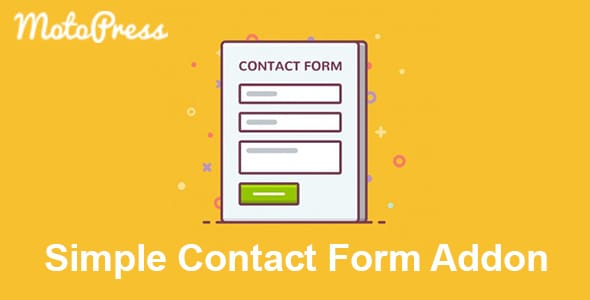
MotoPress Simple Contact Form Addon

$3.99

Version:1.2.2
Category:Plugins
Author: MotoPress
Author Site:Go to Site
License:GPL
Status:Activated (original)

Try Our 7-Day Free Plan!  Enjoy up to 5 downloads per day – Get started now!

MotoPress Simple Contact Form Addon for WordPress Overview

Enhance your WordPress site with the MotoPress WordPress Contact Form Addon. This powerful extension for the MotoPress Content Editor allows you to create customizable contact forms effortlessly, enabling seamless communication with your visitors.

Key Features

  • 9 Field Types: Includes text, email, telephone, select, number, checkboxes, radio buttons, text area, and label fields.
  • Custom Styles: Apply custom styles to forms and individual fields for a unique look.
  • reCAPTCHA Protection: Prevent spam with integrated Google reCAPTCHA.
  • Unlimited Fields: Add as many fields as needed to your forms.
  • Multiple Email Templates: Create customized email templates for each contact form.
  • Label as Placeholder: Use labels as placeholders for a cleaner design.
  • HTML5 Validation: Ensure accurate data entry with HTML5 fields validation.

Installation Steps

  1. Go to Plugins > Add New in your WordPress Dashboard.
  2. Click Upload Plugin, Browse and Choose File, then select the ZIP file of the MotoPress Simple Contact Form plugin. Click Install Now.
  3. Click Activate to enable the new widgets immediately.
  4. Launch MotoPress Content Editor on any Page, Post, or Custom Post Type.
  5. Check the ‘Other’ group of objects to find the new Contact Form widget.

How to Add a Contact Form to a Page

  • Drag the Contact Form widget to your page and drop it.
  • Configure the form settings, including renaming the submit button and enabling reCAPTCHA if needed.
  • Define the form ID and name to identify it among other forms.

How to Configure a Contact Form Field

  • Click on the Label tab to configure the field in the Settings Panel.
  • Name the field and select its type (e.g., text, email, telephone).
  • Decide if the field is required or optional and set its unique field name.
  • Apply custom styles and scripts if needed.
  • Add new fields as necessary.

How to Set Up Contact Form Settings

  • Go to MotoPress > Settings and switch to the Simple Contact Form tab.
  • Enter the email address where form submissions should be sent.
  • Fill in the Subject field for your email notifications using dynamic macros like [form-name] and [blog-name].
  • Set up reCAPTCHA to prevent spam by obtaining an API key pair from Google and entering the Site Key and Secret Key.
  • Create email templates using the field names within square brackets (e.g., [your-name]).

Buy MotoPress Simple Contact Form Addon for WordPress now!

The products published on this site are distributed under the GPL / GNU license. Always remember to check our Terms of Use and Privacy Policy.

Notify Update


Join WP Super Box Club

Join our club and get a membership plan to download any plugin or theme from WP Super Box for free. Enjoy unlimited downloads and use them on unlimited websites!

  • 7 Days Free - $0.00
  • Monthly - $8.00
  • Half Yearly - $30.00
  • Yearly - $45.00
  • Lifetime - $149.00
Join Now!

All items on this site are developed by third-party developers and redistributed under the General Public License (GPL) terms. WP Super Box is not affiliated with any third-party developers or their WordPress GPL themes and plugins.

All logos, trademarks, and creatives are the property of their respective brands or trademarks owners. WP Super Box does not claim ownership of these assets and uses them solely for informational and descriptive purposes.

MotoPress Simple Contact Form Addon for WordPress
This website uses cookies to improve your experience. If you continue to use this site, it means that you agree with it.